
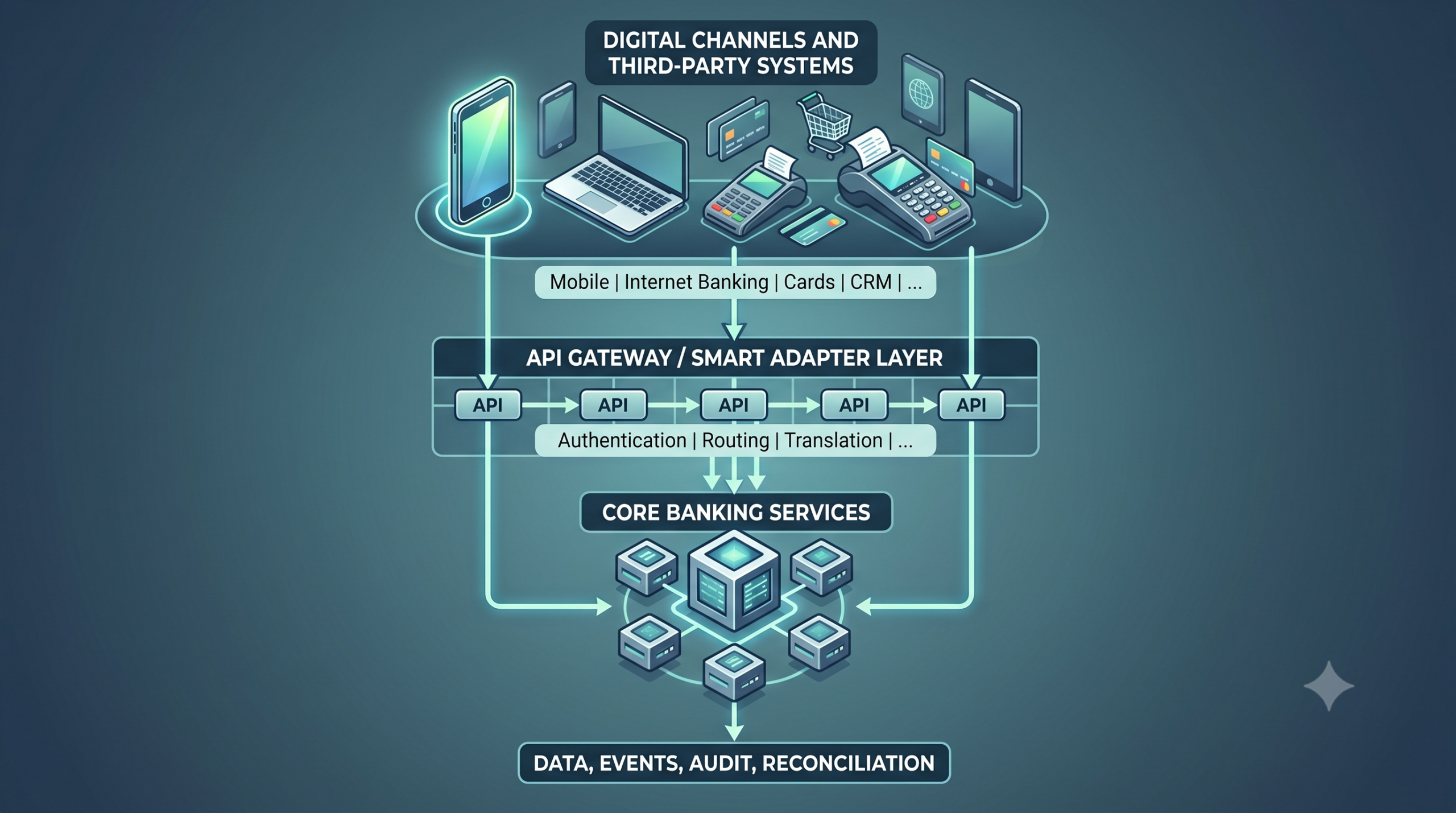

For most IT teams, the fear around core migration does not stop at moving customer and account data. The harder question is often this: what happens to every channel, system, report, and third-party service that already depends on the old core?
A bank may have mobile banking, internet banking, USSD, agency banking, card services, payment switches, CRM, credit bureaus, risk models, regulatory reporting tools, AML systems, ERP, data warehouses, and internal dashboards connected to its current core. Some connections use APIs. Others depend on file uploads, batch jobs, manual exports, direct database access, or vendor-specific scripts.
Consequently, managing integration in core banking migration becomes a serious planning issue.
A modern core improves how the institution connects to channels and partners, but migration still requires careful mapping, testing, sequencing, and ownership. When teams treat integration in core banking migration as a late technical task, go-live exposes broken customer journeys, delayed transaction updates, reconciliation gaps, reporting issues, and heavy support pressure.
Therefore, your goal must remain straightforward: keep critical services running while the institution moves to a stronger core foundation.
Why Integration Becomes a Major Concern During Core Migration
Core banking sits at the centre of an institution’s operating environment. It never works alone. Every account enquiry, transfer, loan repayment, customer update, debit instruction, card request, report, and compliance feed touches the core in some way.
During migration, IT teams need to understand how each connected system interacts with the current core. This includes what data it sends, what data it receives, how often it synchronises, what happens when a request fails, and who owns support when something breaks.
The main challenge often stems from older connection patterns. Legacy systems grow over many years, which makes the overall technical map unclear. For instance, a mobile app calls one middleware service for balance enquiries and another for transfers. Reporting tools pull data overnight. Risk models depend on daily extracts, while branch processes still use exported files from the old core.
Because of these dependencies, integration in core banking migration becomes a primary source of operational risk if the team fails to map them early. To prevent disruption, discovery around integration must begin before actual implementation starts.
What Systems Usually Need to Connect to the New Core?
Each institution will have its own environment, but most banks and financial institutions need to review these common integration areas:
| Integration Area | Common Systems to Review | Why It Matters |
|---|
| Customer channels | Mobile app, internet banking, USSD, agency banking, branch systems, contact centre | Customers expect account access, transfers, statements, and service requests to continue after migration. |
| Payments | NIP, NIBSS, card processors, POS, wallet services, bill payment providers | Failed or delayed payment connections can affect trust quickly. |
| CRM and customer service | CRM, complaints tools, support dashboards, relationship management platforms | Teams need correct customer and account information to serve users after go-live. |
| Risk and compliance | AML systems, fraud monitoring tools, KYC platforms, transaction monitoring, credit risk tools | Compliance teams need reliable feeds and clear audit trails. |
| Credit ecosystem | Credit bureaus, scoring engines, loan origination platforms, collections tools | Loan decisions and repayment activity depend on accurate data exchange. |
| Finance and reporting | ERP, general ledger tools, regulatory reporting systems, data warehouse, BI dashboards | Finance and compliance teams need figures they can reconcile and explain. |
| Internal operations | Workflow tools, approval systems, user management, document systems | Internal processes must continue without unnecessary manual work. |
A good migration plan should identify the criticality of each integration. Some integrations must work from day one. Others can follow after go-live if the institution has a controlled interim process.
The Role of API Gateways in Core Banking Integration
An API gateway gives the institution a controlled entry point between the new core and connected systems. It can help teams manage access, authentication, traffic, request routing, versioning, monitoring, and error handling.
During migration, this matters because the bank may need to connect old and new services for a defined period. A well-structured API gateway can help the team route requests cleanly, apply access rules, and monitor traffic across channels.
For example, a mobile banking app may need to fetch balances, post transfers, retrieve account details, or confirm transaction status. Instead of connecting directly into multiple core services, the API gateway can manage those requests through approved endpoints.
A practical API gateway setup should support:
- Authentication and authorization
- Rate limiting
- Request and response logging
- Idempotency for sensitive transactions
- Error handling and retry logic
- Traffic monitoring
- Version control
- Secure access for approved channels and partners
The real benefit comes from control. IT teams can manage integrations with more visibility and fewer hidden dependencies.
Where Smart Adapters Fit Into Migration
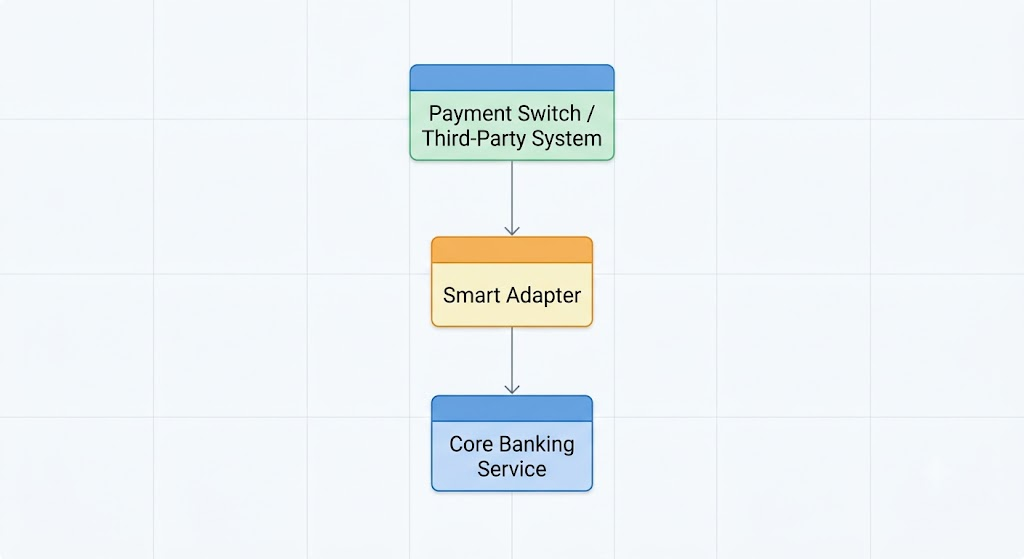
A smart adapter helps bridge the gap between different systems, channels, and transaction formats. In core banking migration, this can reduce integration friction because connected systems do not always speak the same technical language.
Some systems may expect REST APIs. Others may use SOAP, ISO 8583, ISO 20022, file-based flows, webhook events, or custom message formats. A smart adapter can help translate, route, validate, and standardise communication between the core and other systems.
This becomes useful when a bank needs to connect mobile banking, agency banking, payment gateways, credit bureaus, fintech applications, ERP platforms, and reporting tools without building every integration from scratch.
Typical Smart Adapter Pattern
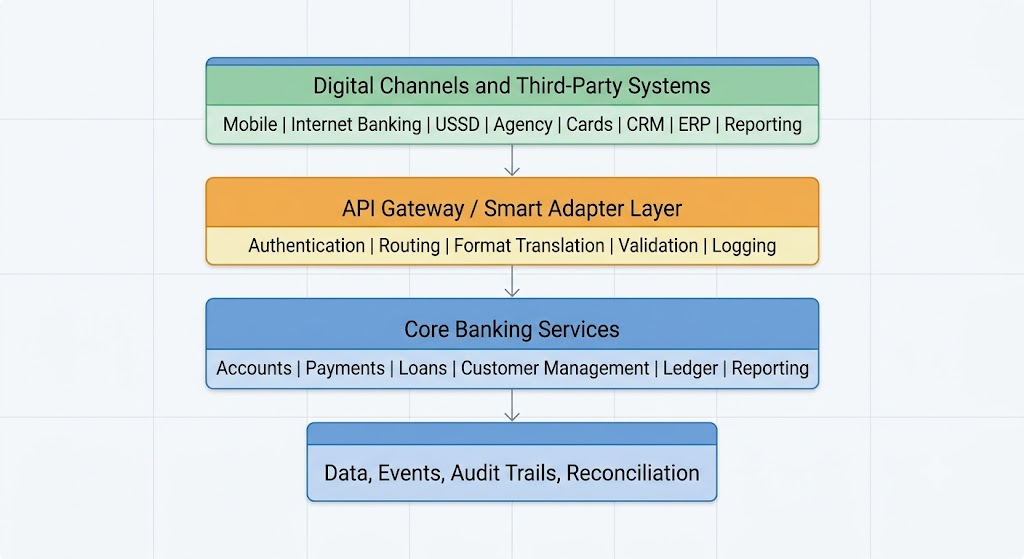
This pattern gives the bank a cleaner separation between channels and the core. It also helps the team make changes to one side without disrupting every connected system.
Messaging Layers and Real-Time Synchronisation
Not every integration should work as a simple request and response. Some banking processes need event-driven communication.
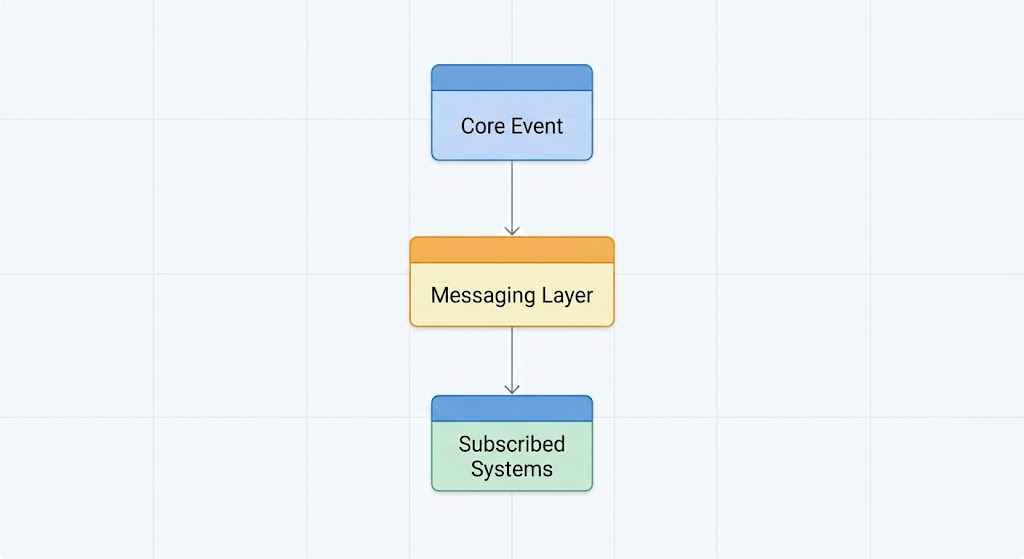
A messaging layer or event bus helps systems communicate when something happens inside the core. For instance, a customer opens an account, a payment posts, a loan repayment clears, an account restriction changes, or a balance updates. Connected systems can receive these events and act on them.
This approach can support near real-time synchronisation across channels, reporting tools, notification services, AML systems, and analytics platforms.
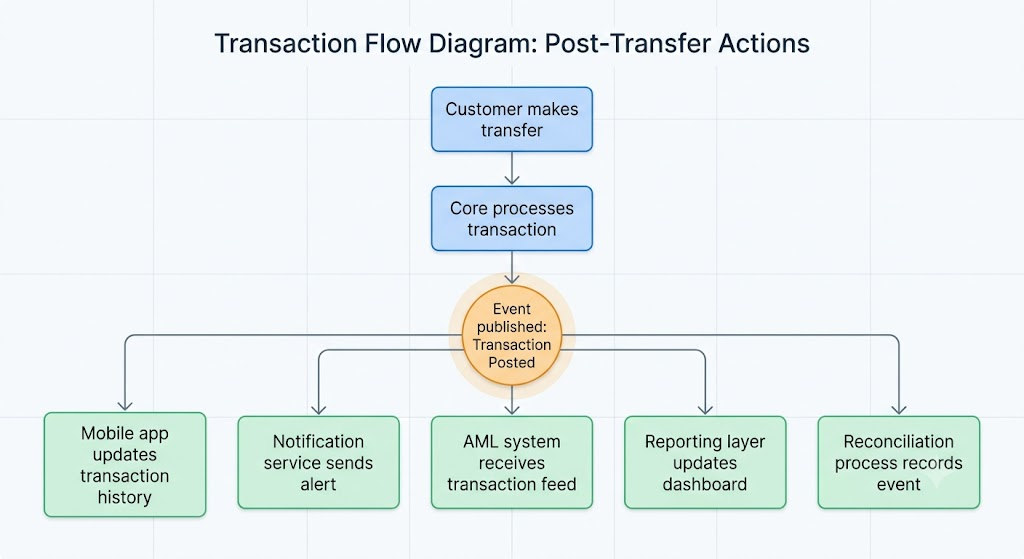
Real-time synchronisation can reduce manual exports and delayed reporting. However, teams still need proper event design, retry handling, sequencing rules, monitoring, and clear ownership.
If an event fails, the institution must know whether the transaction posted, whether the customer received an alert, whether the AML system received the feed, and whether reconciliation captured the event. This level of clarity should form part of integration testing.
Integration Patterns IT Teams Should Consider
A core migration may use more than one integration pattern. The right approach depends on the system, transaction type, risk level, and business need.
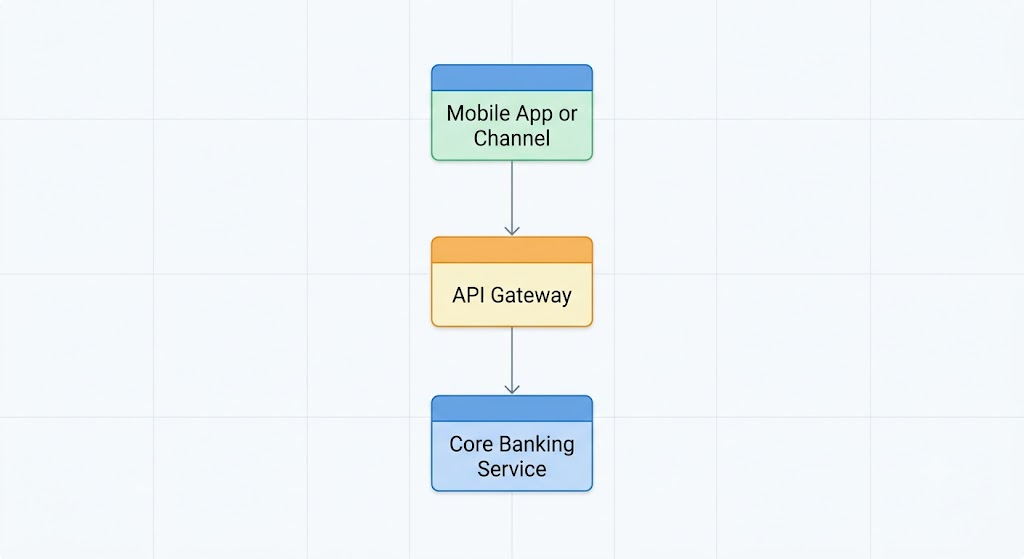
1. Direct API Integration
This works well for channels that need real-time access to core services, such as balance enquiry, account opening, transfers, loan status, or transaction history.
2. Adapter-Based Integration
This works when external systems use different formats or protocols.
3. Event-Driven Integration
This works for alerts, analytics, AML feeds, dashboards, reporting updates, and downstream synchronisation.
4. Batch or Scheduled Integration
Some reports, archives, reconciliations, or regulatory extracts may run on a schedule.
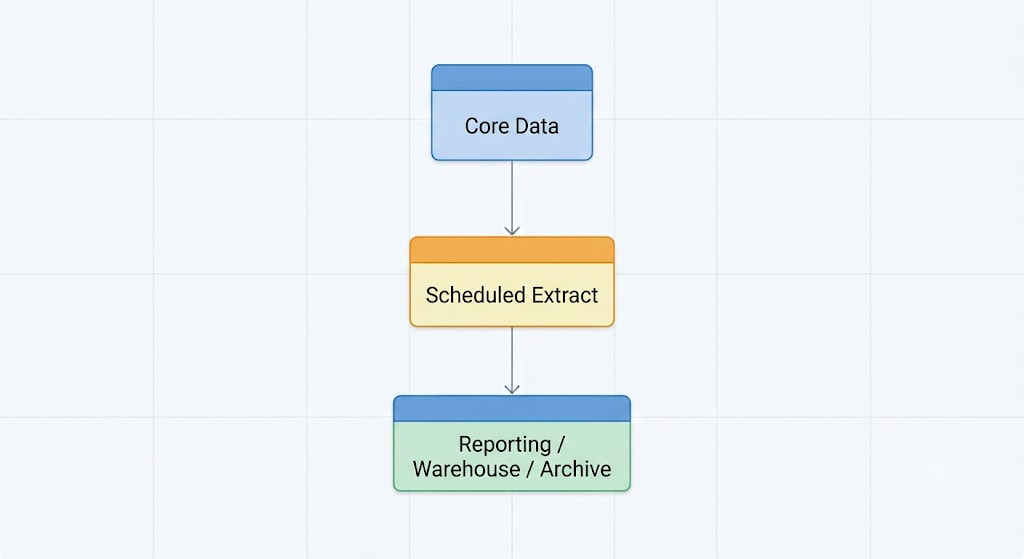
IT teams should document which pattern applies to each integration. This makes testing easier and reduces confusion during cutover.
How to Minimise Disruption During Integration
The best time to reduce integration risk is before the cutover window.
Start with an integration inventory. List every system connected to the current core, including channels, payment systems, CRM, risk tools, reporting platforms, and internal applications. For each one, document the data exchanged, protocol used, frequency, business owner, technical owner, failure impact, and go-live priority.
Next, classify integrations by criticality. Customer-facing channels, payments, balance enquiries, account restrictions, regulatory feeds, and fraud monitoring often need early attention. Some back-office integrations may have more flexibility, but the team should still agree on the plan.
Then, build a test strategy around real journeys. Testing should cover more than whether the API returns a response. It should confirm that customers can complete key actions, staff can see correct data, reports reconcile, exceptions appear in logs, and support teams know how to respond.
A useful integration testing plan should include:
- Channel transaction testing
- Payment posting and reversal testing
- Balance enquiry testing
- Customer update testing
- Loan repayment testing
- Risk and compliance feed testing
- CRM data synchronisation
- Regulatory reporting checks
- Failure and retry scenarios
- End-of-day reconciliation
Finally, monitor go-live closely. During the first days after migration, teams should track transaction success rates, failed requests, delayed events, reconciliation exceptions, channel complaints, payment issues, and support tickets.
How SeaBaas Reduces Integration Friction
SeaBaas is built with an API-first design and a Smart Adapter Integration Gateway that connects the core to digital channels, agency banking networks, and third-party systems.
Its functional blueprint includes a Smart Adapter Integration Gateway with open APIs and compatibility patterns that include REST, ISO 20022, ISO 8583, and SOAP. This matters for institutions that need to connect payments, channels, internal applications, and ecosystem partners without turning every integration into a custom project.
SeaBaas also supports modules and services across customer management, account management, branch transactions, credit management, central journal posting, authentication, investment management, utilities, and cheque management. These services give integration teams defined areas to work with during migration.
For financial institutions, the practical value is clear. The new core can connect to mobile apps, internet banking, USSD, payment gateways, NIP, NIBSS, card processors, wallet services, agency banking systems, credit bureaus, ERP platforms, and fintech applications through a structured integration layer.
SeaBaas Lite carries the same API-first logic into a streamlined SaaS package for microfinance banks, digital lenders, cooperatives, fintech platforms, and growing financial institutions. For smaller IT teams, this can help reduce the burden of bespoke integration work while still giving the institution a path to connect approved channels and services.
Questions IT Teams Should Ask Before Choosing a Core
Before selecting a new core, IT teams should ask integration-focused questions early.
- Which channels must connect on day one?
- What APIs are already available?
- Which protocols does the platform support?
- How does the API gateway handle authentication, throttling, logging, and failures?
- Does the platform support webhook events or event streaming?
- How will payment systems connect?
- Can the core support ISO 8583, ISO 20022, REST, and SOAP where required?
- How will CRM, AML, credit bureau, ERP, and reporting systems receive data?
- Who owns adapter maintenance after go-live?
- How will the team monitor failed transactions or delayed synchronisation?
- What support model applies during hypercare?
These questions help the buyer move beyond feature demonstrations. They show whether the platform can support the institution’s real operating environment.
Conclusion
Integration in core banking migration deserves early attention because it affects customers, staff, compliance, payments, reporting, and daily operations.
A bank can choose a strong new core and still face disruption if its channels, CRM, risk systems, payment rails, reporting tools, and data flows do not connect properly. The safer path starts with discovery, clear ownership, integration mapping, API and adapter planning, real transaction testing, and careful post-go-live monitoring.
For institutions in Africa and other emerging markets, integration also carries a local reality. Banks and MFBs need systems that can connect to local payment rails, identity services, reporting requirements, digital channels, and fintech partners.
SeaBaas addresses this need through its API-first architecture and Smart Adapter Integration Gateway. For banks with deeper operating complexity, SeaBaas provides a modern core foundation for connected banking. For microfinance banks and growing financial institutions, SeaBaas Lite offers a simpler SaaS path with API-first integration, reporting support, and local implementation guidance.
If your team is considering a core migration, start by mapping every system that depends on your current core. That integration map will tell you where the real migration risks sit and what your next core must be able to support.
Before your institution migrates, understand the channels, systems, payment connections, reporting tools, and risk platforms that depend on your current core.
Request the checklist and use it to assess your integration readiness before implementation begins.